The scientists at UC Berkeley have developed an interesting new Android app that could help a lot of people. The app’s purpose is to be able to detect an earthquake while a phone is sitting on a flat surface. There’ll be minor bumps that could affect the sensors in the phone the app will read from, sure, but the app will be able to tell the difference between those. The app runs in super low power mode and only reads the accelerometer, and if the app determines an earthquake is occurring it’ll automatically send GPS coordinates and the reading information over to Berkeley’s Seismological lab.
The app can’t replace actual scientific tools for detecting, measuring and analyzing earthquakes, of course, but it’ll help bring to light the existence of an earthquake faster and can allow seismologists to send earthquake warnings faster. To learn more about how it works you can read Berkeley’s release on it right here, and if you want to help contribute to their efforts you can grab the app from the Google Play Store and get going.
Microsoft Garage’s latest Android app is here. It’s Mimicker Alarm, and yes, it’s an alarm clock — it’s as if we don’t have a million of those already. It does have something unique to set itself apart from the tons of other alarm apps out there, though.
The app will sound an alarm when it’s time for you to wake up, but it’ll take things a step further and ask you to “mimic” an action. It might ask you to take a selfie of yourself while smiling, snap a photo of something that’s green, or complete a tongue twister. If you don’t successfully finish the task within a certain amount of time the app will assume you’ve fallen back asleep and will sound the alarm again.
You can choose to do any of the different actions you want when you wake up, whether it’s just 1 or all 3 in a random shuffle.
Sounds like fun, but there’s something you should know: Microsoft may use some of the data gathered by this app for to improve the service. Their app description states the following:
Images, audio, video, or other data that you upload when using Mimicker are sent to Project Oxford APIs in order to support the fun interactive activities included in the app. The data you upload, along with anonymous usage data may be used by Microsoft for service improvement purposes.
That said, Microsoft does ensure us that none of the info is ever used to identify you or contact you. If that’s too scary anyway then simply don’t download the app. If it sounds fun to you then find it at Google Play right here.
Oh, and Microsoft has even made the source code available for developers wondering how it was made. Park it right here if that sounds like something you want to check out.
Did you know that you don’t always need root to do cool things with your Android phone? Apps have a lot of great functionality on their own these days, and Snap is no different. This particular app will allow you to access your widgets without ever having to leave whichever app you’re in. Snap does this by augmenting your existing notification bar with a tray of its own. In this tray exists any widget you want. You can have multiples, even. To access it, simply swipe down from the right corner of the notification tray (this can be changed to your own liking) and there they are, ready for use. You can see this in action in the video above.
This is great for a few different reasons:
It keeps you in your app, so if you just need to quickly check on some information in a widget you won’t have to venture all the way back to the home screen. It keeps your home screen clean for icons or other uses. It lets you use widgets without unlocking your phone (if you allow notifications to be viewed on the lock screen).
Getting started is simple: download the app, and immediately it’ll show you how to add some widgets. Select the widget you want, customize the width and height, and you’re done. Widgets show up in the order that they exist within the configuration menu, and the order can easily be customized by dragging and dropping them.
One last note: there is a hard limit on the amount of widgets you can use, but we don’t know what that limit is. We were able to add up to 5 widgets just fine. There’s a small in-app purchase of $1.85 you can make to support the developers and lift this unknown limit, so be sure to consider that if you ever find yourself needing more (or if you just want to congratulate them on their outstanding work). Let us know how you’re liking it!
Microsoft released Cortana for Android in beta several months ago, but now it is finally available for everyone. Cortana is Microsoft’s digital assistant for Windows 10 and mobile phones. It works similarly to Google Now and Apple’s Siri. Information is provided to the user without being prompted, but it can also do a wide variety of voice searches. Cortana is a great alternative if you’re willing to give it a shot.
Notebook
How Cortana works for you is based on the information that you add to the “Notebook.” Unlike Google Now, Cortana only knows information that you explicitly tell her. Cortana doesn’t go through your emails and search for tracking numbers, or give you sports scores for the Warriors because you searched for Steph Curry once. All of that stuff needs to be entered in the Notebook.
Open Cortana Swipe in from the left Tap Notebook
Microsoft’s approach gives you a lot more privacy, but it comes at an expense. There’s definitely something magical about the way Google knows what you need. Cortana can be just as useful, but it does take more time to set up. You can give Cortana a name to call you, enter preferences for places to eat, how to travel, favorite sports teams, news topics to follow, and much more. The power of Cortana lies in the Notebook.
Reminders
Cortana is also good with reminders. Just like Google Now, you can create reminders based on times or places. A reminder can be set to go off at a certain time, or when you arrive at a certain place. Location-based reminders are especially handy. You can say, “remind me to buy light bulbs next time I’m at Home Depot.” Cortana will automatically find the closest Home Depot and create a reminder for the next time you’re there.
Open Cortana Swipe in from the left Tap Reminders Tap the (+) icon Voice Search
Like you would expect from a modern digital assistant, Cortana can do a lot of hands-free stuff. You can wake Cortana by saying “Hey Cortana” inside the app, or from anywhere when the device is unlocked. The voice capabilities aren’t quite as good as Google’s. For example, you can’t do conversation searches. You can’t ask “how old is Bernie Sanders?” and then follow that up with “where was he born?” Cortana won’t know your second search was also about Bernie Sanders.
Here are some of the things you can ask.
What is the forecast for this weekend in Boston? Set a reminder to feed the dog at 5pm set an alarm for 8:30 am Play Daft Punk where is the nearest McDonald’s find me coffee nearby Open Twitter how far is it to Cheddar’s? when is my next appointment? show me nearby events show me photos of bunnies Did the Tigers win yesterday? when do the Red Wings play? How old is Barack Obama?
Windows 10
Perhaps the best thing about Cortana is the integration with Windows 10. Every Windows 10 device comes equipped with Cortana. You can find it in the Start Menu, and it looks exactly the same as the phone app. Everything you set up in the app is synced to the PC, and vice versa. You’ll see the same cards on your PC and you would in the app. If you get a missed call on your phone it will alert you on the PC, and you can send replies to texts from your PC as well.
Microsoft hopes that this integration makes people want to use Cortana. If you use Cortana on your PC it makes sense to use it on your phone. However, most people don’t find a need to use it on a PC, so the best features of Cortana are negated. If you’re looking to try something new, and you have a Windows 10 PC, Cortana is worth a shot. You may even find that you like it more than Google.
While the dreams of getting something as robust as the desktop version of Adobe Premiere to edit videos on your phone may be a bit outside the realm of possibility, Adobe has introduced the next best thing. Adobe Premiere Clip is now available for Android. Premiere Clip offers up an easy-to-use video editing platform where you can piece together your home videos or other simple projects. You can trim clips and add images, adjust lightin and add effects/transitions, and even load up a custom soundtrack. Once it’s all rendered you can easily share it with whomever you wish and however you wish. You can even take the clip back into Adobe Premiere Pro CC on your desktop PC to edit it further.
Like we said before, it’s not going to let you create the next Hollywood blockbuster entirely from your phone, but it definitely will be an invaluable tool for when you simply can’t wait to get to a desktop. The best part is that it’s all free, so long as you have an Adobe account. Get on over to the Google Play Store for the download.
Thanksgiving, while a great way to spend quality time with the family, can quickly turn into a complete mess for others. Should you feel like tuning out political debates and your crazy uncle (we all have one), you might want to check out Google Play’s Cyber Weekend sale. It’s there you’ll find select game titles marked down as much as 70%, along with other great deals on apps, music, books and more. When it comes to games, you’ll find a handful of Square Enix titles are 50% off, popular albums from Vance Joy and Muse for only 99 cents, and app subscriptions for as much as 50% of their normal price. There’s also select magazines for 99 cents if you’re looking for some bathroom reading material, as well as 80%-off books/graphic novels, 30% off any 1 TV show season, and select movies for $6.
We have to admit, it’s not quite the 25-cent sale we saw in previous years, so we were a tad disappointed. But alas, there’s still some money here to be saved, especially if you have some Google Play credits laying around. So have a look around Google’s virtual store shelves and see if there’s anything that you like. The promo is linked below.
In case you haven’t heard, Star Wars has a hot new game that’s now available on Google Play. It’s Galaxy of Heroes, a card game where you collect Star Wars characters to use in various turn-based battles and missions. The game features characters that span the entirety of the Star Wars timeline and universe, including the original trilogy, the prequel trilogy, the animated series and even new characters from the upcoming 7th episode titled The Force Awakens. Every card and character have unique abilities and attributes, and some even synergize with other cards to incentivize collecting. You can train your cards to get more powerful, to boot, so the more you play the stronger your heroes are.
The collectible card genre has exploded in recent years, so we aren’t surprised to see Disney and LucasArts take another stab at it. We say “another” because the company actually had a similar game back in 2014 named Star Wars Assault. It was a pretty fun game then, but for some unknown reason it had been removed from Google Play.
Now we know why — Galaxy of Heroes looks even better, and to have all the content from every era of Star Wars is a pretty big deal on its own. Watch the trailer above to see what it’s all about, then go ahead and download it for free from Google Play if you like what you see.
Google Fit, while a great start for monitoring basic activity throughout your day, it’s really only offered a sort of bare bones experience. But in an update rolling out today on the Play Store, Google is bringing the app one step closer to a full fledged fitness coach. No longer just a collection of numbers, Google Fit finally gives you more detailed info on your workout routines along with tips on the type of activity you’re engaged in, whether it’s cardio or weight training, eating or sleeping. For example, you can now see real-time stats for your runs as you’re engaged in them and if you’re using an Android Wear smartwatch, you set daily challenges and watch as your watch detects whether you’re doing sit-ups, push-ups, or squats. Of course, all that gets added to your daily activity, so you can monitor and track each type for the day.
With improved 3rd party app integration, Google Fit can even show you information from your favorite nutrition and sleep applications. Google says integration is rolling out in the coming days but it should help provide better insight as to what’s going inside your body, and how well you’re resting. The goal is by keeping you informed and on top of your daily activity throughout the day, you’ll feel more inclined to make healthier choices.
You can find the newly updated Google Fit v1.55.44 via the Google Play Store link below.
Sony is rolling out an updated camera app for the new Xperia Z5 series of smartphones. The app was first shown off at IFA earlier this year. The new camera app focuses on simplifying the interface. You can now switch between the four main camera modes - Manual, Superior Auto, Video, and Xperia Camera apps - simply by swiping on the screen. The settings menu is now also more accessible and the various settings in Manual mode can be changed by swiping the sliders on the screen.
The update will be available to download in the 'What's New' application on your device.
Google has announced plans to implement a feature in Gmail that’ll notify you when an email is coming from an unencrypted source. This is convenient and important in a couple of different ways: If you’re unsure that the line isn’t secure you can refrain from sending sensitive information in your email responses. If the person you’re emailing has power to change it, it gives you an opportunity to tell them they should get with the encryption program.
Google went into detail about how far email encryption has come to now, and what they plan to do to help continue to push it forward in the future. Be sure to check all of that outright hereif you’re interested. In the meantime, we’ll be waiting patiently for the aforementioned Gmail feature to make its way to our inboxes.
Google has released the Google Maps update we’ve all been waiting for. The company today announced the addition of offline navigation, so you’ll no longer need a reliable internet connection if you want to use navigation.
How does it work? Simple: tell Google an area (city, state, or country, for example) and it’ll download that area to your device for offline use like it always has, only now it’ll be able to deliver turn-by-turn navigation without you having to be on an internet connection. Google says the offline mode is seamless, and it’ll revert to the mode when it detects you have a spotty data connection. Of course, they maintain that using it while connected offers the best experience as you can get live traffic updates.
And that’s all there is to it. This is a big feature that kept Google Maps from being the go-to navigation solution for many folks, but with this improvement it’s sure to challenge the crown of whichever app you’re using. Give it a go when it hits Google Play (and your device) sometime this week.
Last week, YouTube officially announced their ad-free subscription service. It’s called YouTube Red, and it includes all of YouTube without ads, original YouTube content, and Google Play Music All Access, for just $9.99. It seems like a pretty sweet deal. Today, the service has officially gone live. You can sign up now for a free trial.
Another benefit of YouTube Red is the ability to save videos for offline viewing and listen to videos in the background. As mentioned above, this also marks YouTube’s venture into producing original content. Shows from popular channels like PewDiePie, RoosterTeeth, the Fine Brothers, Tobuscus, and CollegeHumor will be available only with a YouTube Red subscription.
The reception of YouTube Red has been shaky. A lot of people love the idea, but others are afraid it will create a divide among YouTuber viewers: those that can afford Red, and those that can’t. Up until this point, YouTube has been free for everyone. Anyone in the world can watch videos, and also create videos that can be seen by everyone. What do you think about YouTube Red? Are you signing up?
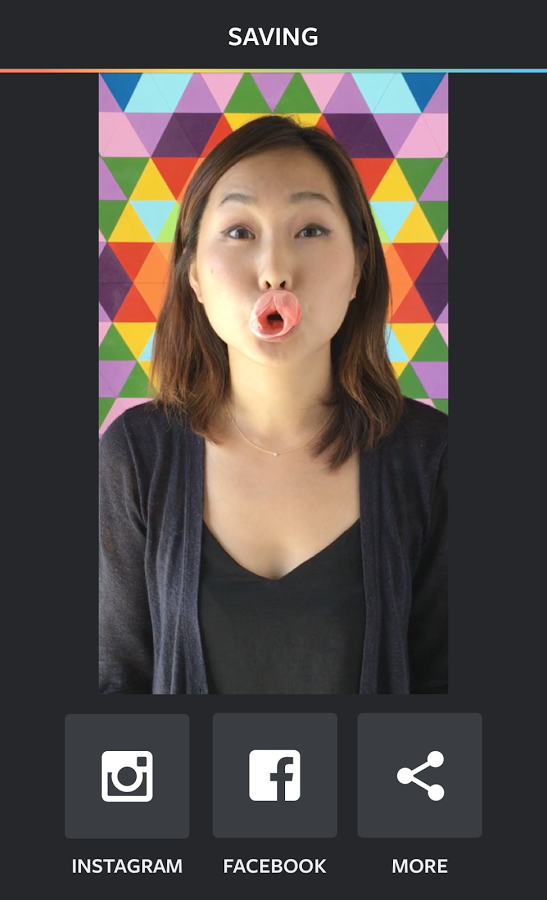
Instagram has unleashed a new app that are meant to make it more uncomplicated for you to make inventive short videos to percentage together with your family and friends. It’s referred to as Boomerang, and it makes use of a picture sewing means (it takes 10 fast photographs) to make a 1-2d looping clip of no matter what it is you wish to have to document.
Boomerang comes half a year after Layout, Instagram's last release aimed at giving people a first-party means of doing something they're already doing with their Instagram photos. The new quasi-video app lets you shoot ten photos with the single press of a button. This then become a mini video that you can post to your Instagram or Facebook accounts directly. Alternatively, you can export them to out to other apps as an MP4 using the share menu.
You can find a link to download the app below. That way before taking that next photo of yourself, you can stop to make it a video selfie. Since Boomerang doesn't capture sound, you don't have to worry about the rest of us gagging in the background.
Android 6.0 Marshmallow wasn’t so much a huge leap as it was a refining of the major OS upgrade we saw in Lollipop. Even still, there’s lots of little changes that made their way to the OS and because not everyone is as tech-savvy as you or I, sometimes they just need a little help. If you’re looking dip your feet into Android but need to know some of the basics (or perhaps know someone who could learn a thing or 2), you might want to check out Google’s Android Quick Start guide, now available on Google Play Books. The e-reader friendly book dives into all the first things you’ll want to do with a new phone rocking Android 6.0 Marshmallow. Well, a Nexus or Android One phone anyway (the update is still a ways off before it lands on non-Nexus hardware here in the states).
It’s only 50 pages long and takes you through a step-by-step process on how to do everything from managing an account, customizing home screen, or using those emoji the kids are all about these days. The best part is the e-book is available globally and wont cost you a cent. Hit up the link below to check it out for yourself.
Google has rules and standards for Android Market that prevent application developers from incorporating adult content. But thanks to Android’s open nature you can get pretty much anything you want on your phone and now a service called MiKandi is helping you find all the naughtiest things you can possibly think/dream/fantasize of in one place – MiKandi Market. If you visit MiKandi.com on your Android Phone you can download MiKandi Market which is a portal for Android users to find, download and use adult themed applications in one central location. Likewise, it serves as a place where application developers can distribute their free or paid adult-themed locations without fear of being rejected from Android Market. In fact, they’ll allow any type of content into MiKandi Market as long as it doesn’t violate the law (you have to be 18+ years old to download).
Regardless of whether or not you’re into adult content you have to admit from a pure business opportunity standpoint this is pretty brilliant. There is a reason that pornography leads the internet in traffic and revenue and with everybody going after the mobile web, it’s a wonder that some enterprising adult company didn’t pursue this earlier.
Adult stuff stays out of Android Market which is reasonable, but if you’re determined to get some adult goodies on your android phone Google isn’t going to stand in your way. While MiKandi is planning a solution for the iPhone, users would need to have a jailbroken phone for the apps to work properly. Android win.
One concern I have about MiKandi is that they’ve got a great idea but don’t have the resources to follow through. Take for example developer payments to be made through Amazon or PayPal:
Note: For any type of payout or remittance, we will require an invoice from you. Based on the sales report for the applications that MiKandi distributed, you will generate an invoice so MiKandi can remit payment against this invoice.
Sounds pretty weird/bizarre to me. If MiKandi is the one with the stats why would the developer be forced to produce an invoice? I don’t get it.
But what I DO get is that if these folks can get this right… they could have a HUMONGOUS hit on their hands. It won’t be the type of hit where people readily admit they use MiKandi, feature it on their home screen and show all their friends… but I promise you that if they actually offer a variety of adult applications this WILL get a ton of use.
So I… uh… downloaded MiKandi Market for uh… reviewing and testing purposes and just to let you know – nothing worked. After accepting an End User Agreement it loaded a screen titled Staff Picks that was otherwise blank. Pressing menu provided a couple options but no matter what you selected you would always get a force close. So the pictures above are likely just reference designs and I have no clue when/if real content/apps will actually be used.
Don’t forget that you assume a risk when downloading ANY application on Android Market. When you download ONE application that is from an “unknown source” there is a potential it could be harmful. Downloading an application that acts as a medium to download lots of other application from various unknown sources is inherently more risky. So be careful. Just saying’
Some users have been noting for a while that they were seeing an option to backup WhatsApp data to Google Drive, but the feature was obviously in testing and continuously disappeared and reappeared. Now though, the feature has finally been announced as official and will be rolling out to users soon. Surprisingly, the announcement was made on the official Google Drive blog. This is surprising mostly because WhatsApp is owned by Facebook, and Facebook and Google don't tend to partner on... well, anything really. According to the blog post, no one likes to have their memories stuck on a phone, so WhatsApp is adding the option to backup and restore your chat history, voice messages, photos, and videos.
Google says the feature will be hitting the Android version of the WhatsApp app today, but unfortunately, the post also notes that the feature will be "rolling out over the next few months", which is not a great phrase to see. Any software feature rollout that takes more than a couple weeks is troubling as far as we're concerned.
The post doesn't specifically mention the iOS version of WhatsApp, but the feature will be using the Google Drive API for functionality, and there is a Drive API for iOS as well. WhatsApp tends to like to have feature parity all around, so we would expect the backup option to hit iOS. In the meantime, just check your settings menu every once in a while to see if you've got the update.
Samsung S Health is a complex suite of tools for health monitoring, and is now available in the Play Store and all Android devices, whether Samsung or other manufacturers bear the logo. Still there in April of this year Samsung has its S Health set in the Play Store, to make it easier to update, but remains applications were compatible only with some Galaxy models. But now the Health can be downloaded and installed on any Android on the white world provided that revolves Android 4.4 KitKat and newer.
If you do not know, except for the Health Support for integrated pedometer, steps converted into calories, offers daily calorie intake, can measure the intensity of UV radiation and many other things, depending on the sensors, which your device has.
All information, the Health shows the pleasant graphs, encourages you to realize our goals and generally represents a solid alternative to Google Fit tools.
Angry Birds 2 game can now be downloaded on the Android platform. The official sequel to the first game of Angry Birds contains superior graphics, the levels of several stages and new bosses. There is also plenty of new types of birds that can be used throughout the game. Early reviews of the game show that the new title is quite similar to the original Angry Birds game, but different enough to make sense of the new game.
If you are not the type of player who likes to stall, Angry Birds 2 comes with a fast-forward function that allows you to skip the final sequence at the end of each round. Angry Birds 2 game is free to download at the Android Market, but it should be noted that the game comes with the option to purchase within the application.
Microsoft for some time preparing and Android version of Cortana, and now the beta version leaked to the public. Download and try.
Cortana's Siri and Microsoft debuted Windows Phone devices, as Windows 10 upgrade expands all other Microsoft devices. Cortana to be offering the same capabilities and features - communication and management of the voice commands.
beta version of Cortana Android, accidentally or intentionally leaked in the form apk package and is available to download from the link below and easy to install and try out on your Android. Keep in mind that this is a draft and it might not all work properly. What definitely does not work is the ability to start Cortana voice command "Hey Cortana," but everything else more or less in order, and you will need to log in to their Microsoft account.
If you like League of Legends or DOTA2 games, this is a game that will blow your mind. As in any MOBA game you have heroes who are progressing, teams working together toward a common goal. Vainglory valid for MOBA game that is best adapted for the touch screen. And with good reason, but of course, such quality has a price in the form of 547 MB for installation and application Android 4.4 or higher. Was rated at 4.2 stars and of course free to play.